 PennyPost
A trial expiration email should tell the customer when their trial ends, what happens afterward, and what action they can take. The correct message depends on whether the trial ends without a charge, becomes a free account, or automatically starts a paid subscription.
Write those facts before writing the sales copy. A useful reminder helps someone make a decision with enough information to understand the consequences. It should also stop when the decision has already been made.
This guide includes five original templates and an example reminder schedule. All product names, people, dates used in examples, and account situations are illustrative. They are not taken from real customer accounts or presented as conversion results.
If the rest of your onboarding is still unfinished, start with the five-email sequence plan. Trial reminders work better when the earlier emails have helped people try the product.
Check what your trial actually does
Open your product and billing configuration before choosing a template. The checkout page may describe one arrangement while an old email draft assumes another.
There are three common situations:
| Trial arrangement | What the reminder needs to explain | Likely destination |
|---|---|---|
| No automatic charge | End date, access changes, and how to choose a plan | Plans or billing page |
| Automatic conversion to paid | End date, expected charge, billing interval, and how to manage or cancel | Subscription settings |
| Trial features revert to free | Which features change and what remains usable | Plan comparison or account page |
A trial can also pause while waiting for a payment method or end with a different status. Use the behavior your system implements, including any grace period. The Stripe trial documentation illustrates how trial-ending behavior can depend on configuration and payment-method state. If you use another billing provider, check its equivalent settings.
Record the trial end as a real timestamp, with the timezone used for customer communication. Store the current plan and account status separately. “Created an account fourteen days ago” is insufficient when the trial can begin later or be extended.
For a team product, identify the person who manages billing. An ordinary member may have no ability to upgrade or cancel. Their reminder can explain whom to contact, while the administrator receives the actual billing action.
Choose a reminder schedule
For a fourteen-day trial, one example is a reminder three days before the end and another one day before. Add an expiration confirmation only if it communicates a real state change. This is a starting schedule to evaluate, not a universal best practice.
| Moment | Purpose | Send only if |
|---|---|---|
| Three days before the end | Give time to evaluate plans or resolve a blocker | The account is still in the relevant trial |
| One day before the end | Make the approaching date and consequences clear | The deadline is current and the account remains eligible |
| After expiration is confirmed | Explain the account’s actual new state | The trial really ended in that state |
Work backward from the deadline
Upgraded or extended? Recheck the account and skip the outdated reminder.
A seven-day trial may need a shorter schedule. A lengthy team evaluation may justify an earlier reminder because purchasing approval takes time. Avoid sending a new reminder just because another day has passed.
Schedule relative to the current trial end, not relative to the original signup. If someone receives a seven-day extension, their old “ends tomorrow” message must be canceled or skipped. Re-evaluate the account immediately before sending, including jobs that were queued under an earlier deadline.
Check whether another system already sends trial notices. Your billing tool and your onboarding tool can otherwise produce two reminders with different dates or different cancellation instructions. Give one system ownership of each message, and document the decision.
Template 1: the trial ends without an automatic charge
Use this for an account with no automatic payment. The fictional product is Lumenboard, and this version assumes the user can still view saved boards after the trial but needs a paid plan to edit them.
Subject: Your Lumenboard trial ends on [date]
Preview: You won’t be charged automatically.
Hi [first name],
Your Lumenboard trial ends on [date] at [time and timezone]. After that, your saved boards will remain viewable, and editing will require a paid plan.
You won’t be charged automatically. If you’d like to keep editing, you can choose a plan in your account.
[Review plans]
If something is stopping you from trying Lumenboard, reply with what you need to check.
Ari at Lumenboard
The access description is the most important detail to adapt. Your product may block sign-in, switch to a free plan, or retain access for a limited grace period. State the real behavior, including any relevant data-retention policy.
Avoid threatening data loss to force a decision. If a deletion policy exists, explain it accurately and link to the policy. If data remains saved for a defined period, communicate that period instead of implying indefinite storage.
The button should lead to plans the account can actually purchase. When a plan depends on team size or usage, the destination should make that visible before the user commits.
Template 2: the trial automatically becomes paid
Use this only when the account is configured to convert to a paid subscription. Fill the billing details from the current account, and check how taxes, discounts, and usage affect the amount.
Subject: Your [product] trial ends on [date]
Preview: Review your subscription before paid billing starts.
Hi [first name],
Your [product] trial ends on [date] at [time and timezone]. Unless you cancel before then, your subscription is scheduled to continue on [plan name] at [amount and currency] per [billing interval], [accurate tax or usage qualification, if applicable].
You can review the subscription and manage cancellation from your billing settings.
[Manage my subscription]
Questions about the plan or the amount shown? Reply to this email before making changes.
[Sender]
The bracketed billing qualification is an editing instruction. Replace it with accurate wording or remove it when it does not apply. Do not send the literal placeholder to a customer.
Do not guess an exact total when charges vary. Where an exact amount is available, use the authoritative value. Where it is not, identify the base price and the factors that change it, and send the customer to the place where they can review the calculation.
Make cancellation available from the destination you name. A “Manage subscription” link that only opens a sales page does not meet the expectation created by this email. Test the action using a customer account, including permissions and sign-in redirects.
This template is a communication starting point. Your billing arrangement and applicable notice obligations determine the complete content and timing you need; the template does not establish those requirements.
Template 3: the account moves to a free plan
Use this when a trial unlocks features temporarily and the account retains a permanent free plan afterward. The example assumes existing boards remain editable, while automations stop being available on the free plan.
Subject: Your Lumenboard trial features end on [date]
Preview: Your account will continue on the free plan.
Hi [first name],
Your Lumenboard trial ends on [date]. Your account will continue on the free plan, so you can keep editing your saved boards within that plan’s limits.
The automations included in your trial won’t run on the free plan. You can review the plan differences before deciding whether to upgrade.
[Compare my plan options]
If the free plan covers what you need, you don’t need to choose a paid plan to keep using it.
Ari
Check the details of over-limit accounts. A user with more boards or collaborators than the free plan allows may face a more complicated transition. Do not tell everyone they can continue unchanged if some accounts will become read-only.
If only a specific feature changes, name that feature rather than saying the whole account expires. People understand their options more easily when the message describes the actual difference.
Template 4: the trial has already expired
Send after your system confirms the account’s new state. This version is for a trial that ended without payment and now requires an upgrade to resume editing.
Subject: Your Lumenboard trial has ended
Preview: Review the account’s current access and options.
Hi [first name],
Your Lumenboard trial ended on [date]. Your saved boards are now view-only. You can choose a paid plan if you’d like to edit them again.
[Open my account]
If you didn’t get a chance to evaluate the feature you needed, reply and tell us what you were trying to do. We’ll let you know what options are available.
Ari
The phrase “has ended” needs a confirmed state. A scheduled job that wakes up at the old deadline is not sufficient evidence. The trial could have been extended or converted to a subscription moments earlier.
The email should not imply that an extension is guaranteed. If extensions are available, give the team a process for deciding and recording them. If they are unavailable, replace the offer with a help link that the team can honor.
For accounts that converted to paid, send the appropriate subscription or payment communication instead of this expired-trial draft. An email that says the customer lost access while their payment succeeded creates avoidable concern.
Template 5: help before the deadline
Use this when an account has not reached the first useful result and there is time to resolve a genuine obstacle. The offer needs a monitored inbox. It can replace a generic reminder rather than being added as another message.
Subject: Need to check anything before your trial ends?
Preview: Tell us what you still need to try.
Hi [first name],
Your Lumenboard trial ends on [date]. If you’re still working out whether it fits your team, what do you need to test?
Reply with the task you’re trying to complete or the step where you stopped. Please leave out passwords and private customer information.
We can point you to the right instructions and explain the options for your account.
Ari and the Lumenboard team
This draft is deliberately specific about the kind of help available. Avoid offering a personal setup call, migration service, or free extension unless the team can provide it.
It also avoids asserting that the customer never used the product. An incomplete integration can make an active account look inactive. Use stronger behavioral statements only when the underlying data is reliable.
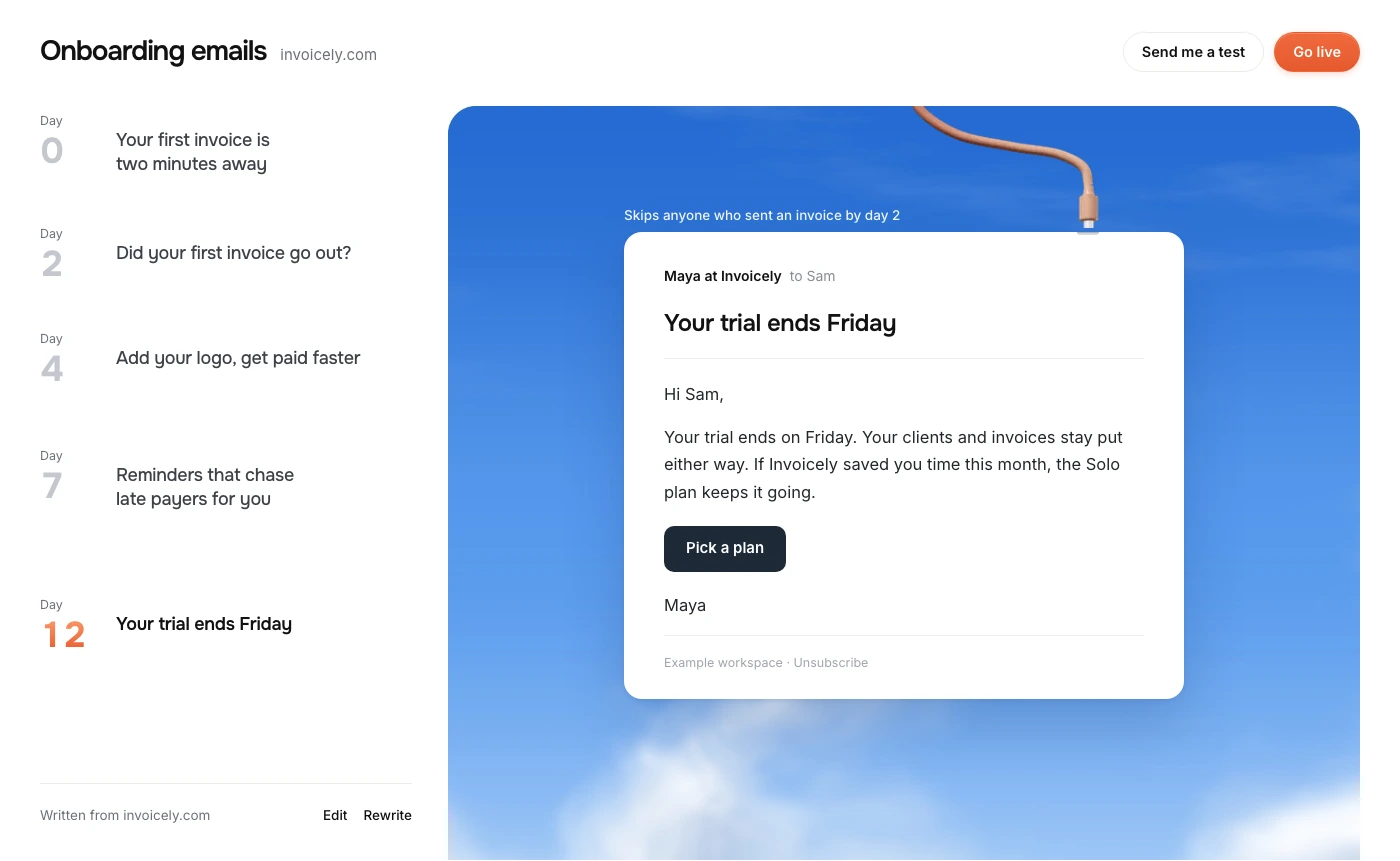
Connect reminders to the current account state
A useful reminder system needs more than an email address and a trial-start date. Keep an authoritative record of the deadline and the account’s status, and make that record available to the sending decision.
At minimum, your application should be able to answer these questions:
- Is this account still in the trial covered by this reminder?
- What is its current end timestamp and resulting access policy?
- Has it upgraded, canceled, or received an extension?
- Is this recipient permitted to receive this message and able to perform the action?
- Has this reminder already been sent for this trial and deadline?
For recurring jobs, identify a reminder by the account, trial, reminder type, and relevant deadline. A retry should not send the same notice repeatedly. If the deadline changes, you need a clear policy for whether the changed schedule warrants a new notice.
Billing notifications can arrive late or more than once. Your backend should handle duplicate events and fetch the current subscription when an event is ambiguous. An old event should not overwrite a newer plan state simply because it arrived later.
There is also a short gap between the final eligibility check and email delivery. Make the check as close to sending as possible, suppress known outdated jobs, and use wording appropriate to your delivery process. Avoid absolute promises of instantaneous state synchronization.
The behavioral email guide explains how to connect events and contact updates. For trial emails, remember that recording an event is not the same as rescheduling all pending deadlines. Your app must keep those responsibilities explicit.
Use the trial email to support a decision
A trial reminder has two audiences: people who saw value and people who still do not know whether the product helps. Their questions differ.
An active customer may need to compare plans, understand seat pricing, or get purchasing approval. A customer who is stuck may need a missing setup instruction. Use what you reliably know to choose the most useful content, while keeping the deadline and access details consistent.
If you include a usage summary, use verified counts with clear meaning. “You created six boards” is specific. “You saved ten hours” requires a defensible measurement method and should not be inferred from a few product events.
Discounts are optional. Before offering one, check whether price is actually the obstacle. A lower price does not fix an installation that never worked. Repeated automatic discounts can also teach customers to wait for another offer, so decide the policy deliberately.
Avoid fake scarcity. If a deal has a real expiration, the product and checkout need to enforce the same terms. If there is no deal, the trial’s actual deadline provides enough context.
Test these cases before enabling reminders
Test the draft and the account transition together. Use sandbox accounts and shortened schedules where possible, without changing the production behavior for real customers.
| Test account | Expected result |
|---|---|
| Active trial with an upcoming deadline | Receives the correct reminder with the current date |
| Upgrade before the reminder sends | Skips the trial sales reminder |
| Extended trial | Skips the old deadline and follows the revised schedule |
| Canceled or otherwise ineligible account | Receives only the appropriate account communication |
| Duplicate job or billing notification | Does not create repeated copies of the same reminder |
Also open the email in a real inbox and click through as a recipient who is not the workspace owner. If that person cannot manage billing, either change the destination and instructions or send the billing reminder to the account administrator.
When dates are displayed in a local timezone, verify the formatted value near midnight and across daylight-saving changes where relevant. A date-only string can disagree with the actual access cutoff even when the underlying timestamp is correct.
Questions about trial expiration emails
How many trial reminder emails should I send?
Start with the smallest schedule that gives customers enough time to act. Two reminders before a fourteen-day trial ends are an example, not a required count. Account for notices your billing system already sends and remove messages that repeat the same information without helping.
Should I send a reminder to someone who never activated?
If the reminder is appropriate for the account, communicate the deadline accurately and offer help with the first result. Do not assume a pricing offer solves their problem. The earlier onboarding templates can help address incomplete setup before the deadline is close.
Should upgraded customers get trial-expiration emails?
They should leave the trial sales reminder flow. If you need to confirm the upgrade or explain paid access, use a message that reflects the new subscription state. Recheck eligibility immediately before sending scheduled reminders.
Can PennyPost generate the reminder?
The free generator can draft onboarding emails from your app’s public URL. Review any trial language against your real billing settings. The site’s public copy does not provide an individual customer’s deadline, current subscription, or payment status; your app needs to supply those facts to the sending process.